Features
What Uplink does, and what it deliberately does not.
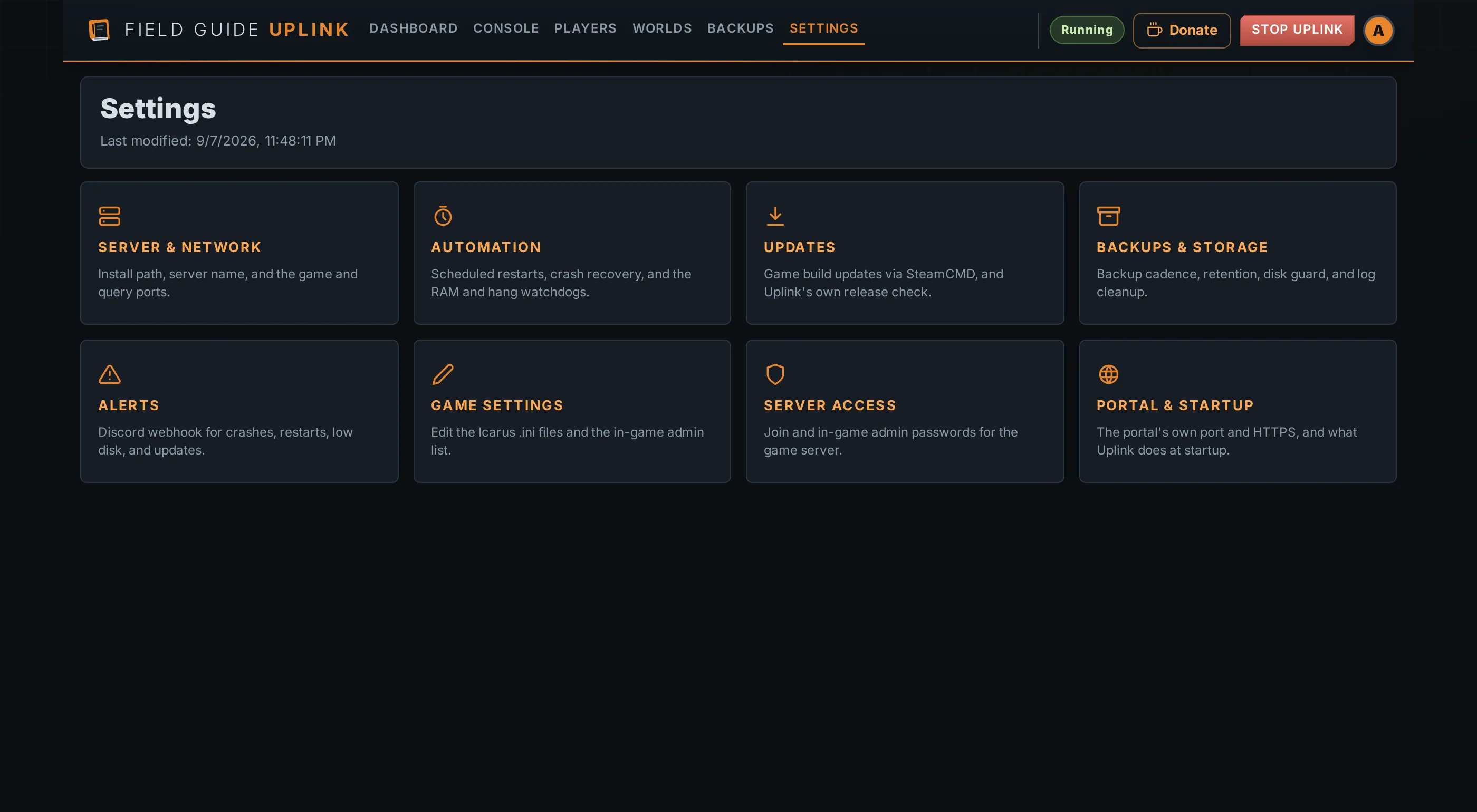
Browser control
Start, stop and watch your Icarus dedicated server from a browser. On Windows, Uplink keeps the game's console window hidden so the host machine stays tidy.
The live terminal streams what the server is doing — startup, joins, saves,
restarts and errors — so you can keep an eye on it without a separate remote
console tool. Want the native window while testing? Start Uplink with
--console.
The portal is a single dark theme, works on a phone as well as a desktop, and can be added to your home screen from Account → Install as App. It meets WCAG 2.1 AA for contrast, and every fact on the dashboard carries a hint explaining what it is measuring.
[12:34:56] Server started
[12:35:10] Prospect loaded
[12:35:14] Waiting for players…
[12:38:00] Scheduled auto-save…
[12:38:02] World saved
Safer restarts
Icarus has no save command — nothing Uplink sends the server is read. So a restart does not ask the game to save; it waits for one of the game's own autosaves to land and finish writing, then stops. That is the whole reason the sequence exists.
When players are online you choose when: now, after the next save, or once everyone has logged off. The last of those has no time limit, because bounding "when everyone has left" with a timer would stop a populated server.
Uplink cannot warn players in-game. The dedicated server exposes no way to say anything to them.
Crash recovery and guards
If the server falls over, Uplink brings it back — and tells you whether it will keep trying or has given up. It knows the difference between a crash and a stop you asked for.
It also watches memory and free disk space against thresholds you set. A server that is still running but has stopped answering Steam queries — the classic freeze, which no memory rule can see and no crash handler ever hears about — is restarted after ten minutes of silence, or whatever you set.
A server already running when Uplink starts is adopted rather than launched over, so an Uplink that was killed outright does not come back and start a second server on top of the first. Only one Uplink may own a server folder: a second copy pointed at the same install says who has it and leaves the game alone, instead of running a second scheduler and watchdog against it.
Worlds and prospects
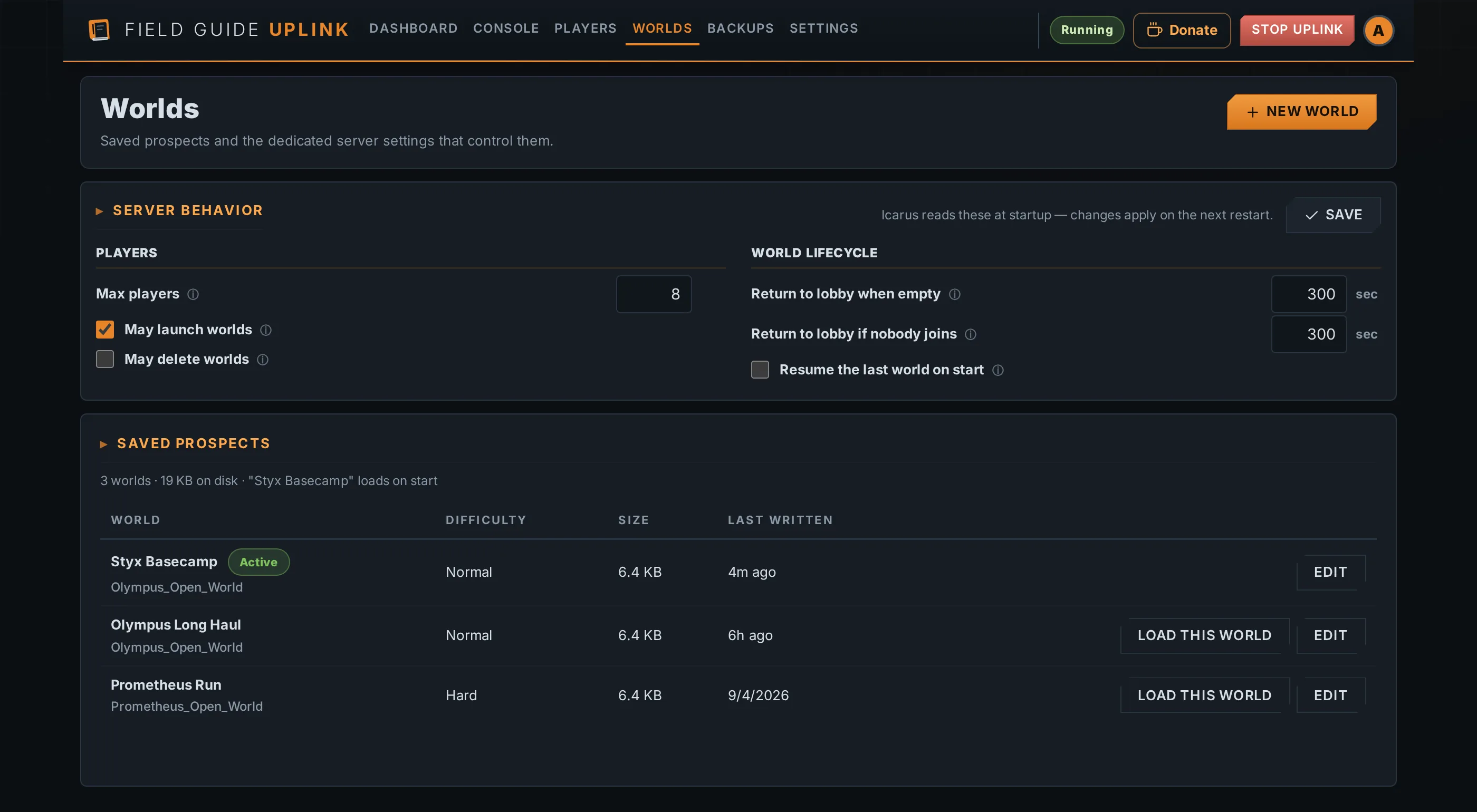
Every saved prospect on your server, with what it actually is — its map,
its difficulty and whether it is hardcore — and which one the server will load
next. Switching between them is a click rather than an .ini edit,
though it takes a restart, because Icarus only reads the choice at startup.
Queue a brand-new world by picking from the 95 documented prospects by their in-game names, then set difficulty, hardcore and a save name. Once the world has been generated Uplink points the server back at it, so later restarts load it instead of re-running the creation.
You can also rename a world, or change its difficulty and hardcore flag, after it exists — Icarus offers no way to revisit any of the three. The server must be stopped and a backup is taken first, because the save file has no undo. Renaming makes Icarus treat it as a new prospect, so anyone with workshop items in transit has to rejoin.
Players, history and bans
See who is connected, with avatars, join times and how long they have been playing. Uplink remembers visits after they end, so a player carries a total playtime, a visit count and a first and last seen long after they log off.
Bans are written straight into Icarus's own ban list, which the dedicated
server enforces by itself — so a ban made in-game with /BanPlayer
shows up in the portal and can be lifted there. A ban needs the player's
17-digit Steam ID, because that is what the server matches on, and it takes
effect at the next restart, since that is when Icarus re-reads the list. Uplink
says so rather than letting you believe otherwise, and alerts you if a banned
player is playing anyway.
The game's auto-admin list is managed the same way: anyone on it gets admin
the moment they join, without typing /AdminLogin in chat.
What Uplink cannot do: there is no kick button and no allowlist. Icarus takes no commands from outside the game — its admin commands exist only as in-game chat typed by a connected admin — so neither could ever have worked. To make a server private, set a join password.
Backups and restore
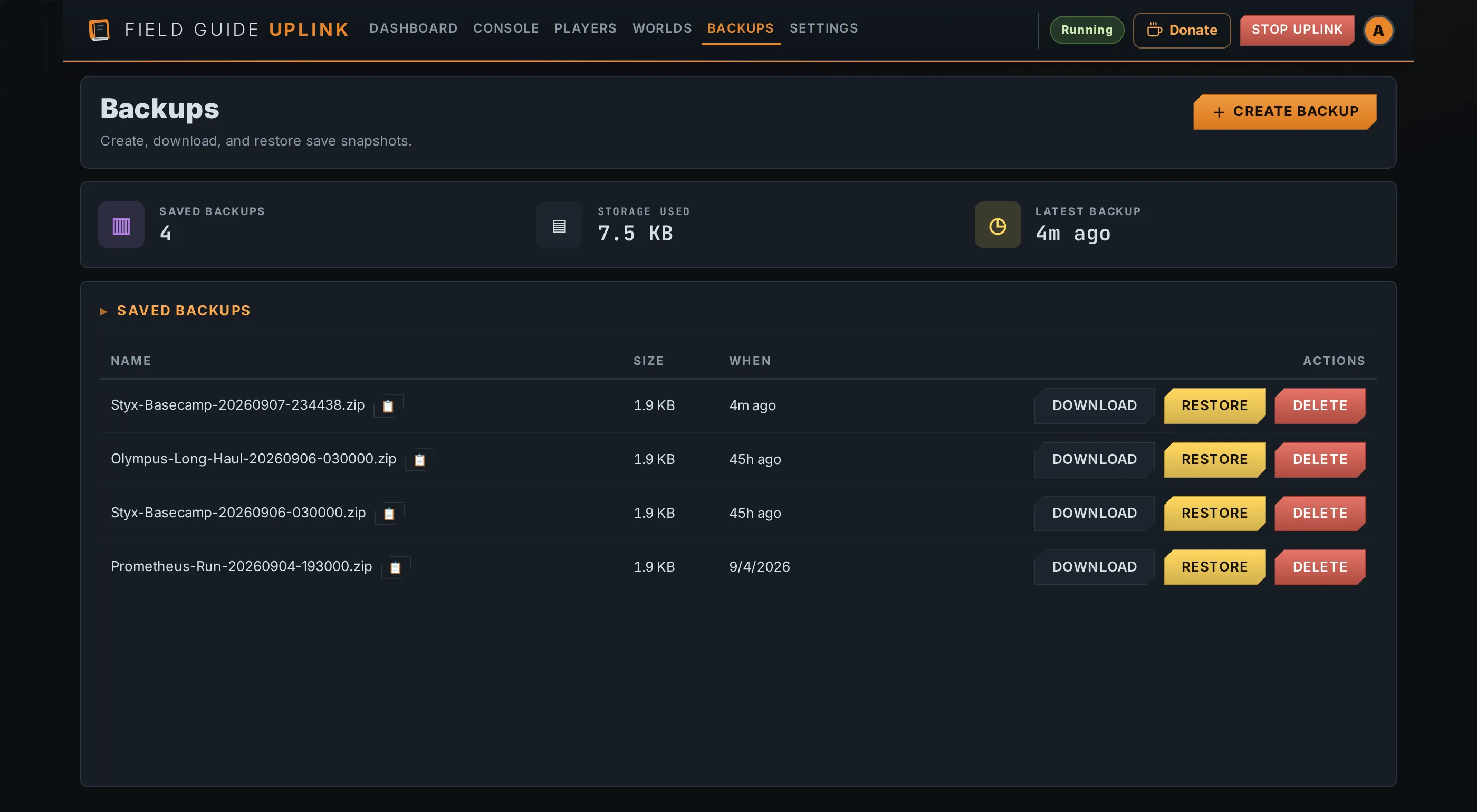
Local backups run on a schedule you set, keeping a rolling set of recent snapshots — a quick rollback path without filling the drive. Restore from the dashboard when you need one.
An archive carries your server configuration as well as your worlds — the
three .ini files, the ban list and the auto-admin list — so a
rebuilt machine can be brought back as it was. Restoring that configuration is
a separate tick-box, off by default: restoring yesterday's world should not
silently restore yesterday's passwords and un-ban everyone banned since.
Because the archive holds your in-game admin password, downloading a backup
and restoring its configuration are admin-only.
Archives are checksummed when they are written and checked again before a restore, so a corrupt one aborts with the server untouched. A restore snapshots the current saves first, so a mistaken restore can itself be undone. With Steam updates enabled, a backup is taken before the update, so patch night has a fallback.
Game updates, and Uplink's own
Uplink runs SteamCMD for you. It checks for a new game build on a schedule whether or not auto-update is on, so you hear about a patch even if you install it by hand, and the dashboard says when it last looked and whether something is waiting. Set the interval to zero and it stops reaching for Steam entirely.
Downloads run through SteamCMD's anonymous login, which fetches the dedicated server in full. Uplink never asks for your Steam account, so there is no password and no Steam Guard secret sitting on the host waiting to be found.
Uplink also checks GitHub for new versions of itself, downloads them in the background and verifies the published SHA-256 before offering them. Installing is never automatic — an admin confirms it, because applying an update restarts Uplink and the game server with it.
Crew access
Uplink starts with one admin account. Add trusted players as operators for server chores, or viewers when they only need to see status.
Passwords are hashed with bcrypt, two-factor is available, and API tokens
are there for automation. Locked out? The offline
--reset-password flag recovers the admin account from the host.
Status, logs and alerts
Uplink keeps a rolling window of metrics — enough to see what happened during the last session, or during an overnight crash — plus a long-term calendar of players, CPU and memory going back months. The CPU and memory charts draw the whole machine and the game server separately, so you can tell which of the two is under pressure, and a day the server never ran is marked as that rather than counted as a quiet one.
Alerts are optional and off until you add a channel. Add as many as you like — several Discord webhooks, email over SMTP, a JSON webhook for your own tooling — and choose which events reach each. Every alert says what set it off: which operator and from where, or which automation, down to the schedule that fired it. A channel that has quietly stopped delivering is reported through the ones that still work.
Ports that match Icarus
The dashboard runs on its own TCP port; the game's traffic is untouched beside it. TLS is off until you enable it — keep the dashboard on your LAN, or secure it before exposing it.
Windows first, Go-powered builds
Run Uplink on the Windows machine hosting your Icarus server. A Linux build exists because Uplink is written in Go, but it is unofficial — use it at your own risk.
It does not install as a service or start the game on boot unless you ask it to. The dashboard ships inside the binary, so there is no separate web package to install on the host.
Game config editor
Tune the server's own settings from the dashboard — no SSH, no hunting through folders for the right INI file.
Uplink reads and writes them through a fixed allow-list keyed by name, so the editor can only ever touch your real server config and nothing else on disk. The ban list is read and rewritten on every edit rather than cached, because it is the same file the game itself writes when an admin bans someone in-game.
Try Uplink on your server
Freeware for personal private servers, and actively maintained.